
Download DVDREasy – DVD copying, DVD backup, DVD ripper, DVD burner, DVD copy software, free DVD software, DVD utility, DVD tool
Overview
DVDREasy is a dedicated utility designed to simplify the process of creating secure digital copies of original DVDs. Its primary purpose is to automate the entire workflow required to rip, convert, and burn DVD content onto blank DVD-R or DVD+R media. This makes it a valuable tool for users seeking to preserve physical media, especially in cases where original discs may be prone to damage or degradation over time. The software is particularly useful for individuals managing personal video collections, such as home videos, movies, or educational content, who wish to maintain high-fidelity backups without navigating complex technical procedures.
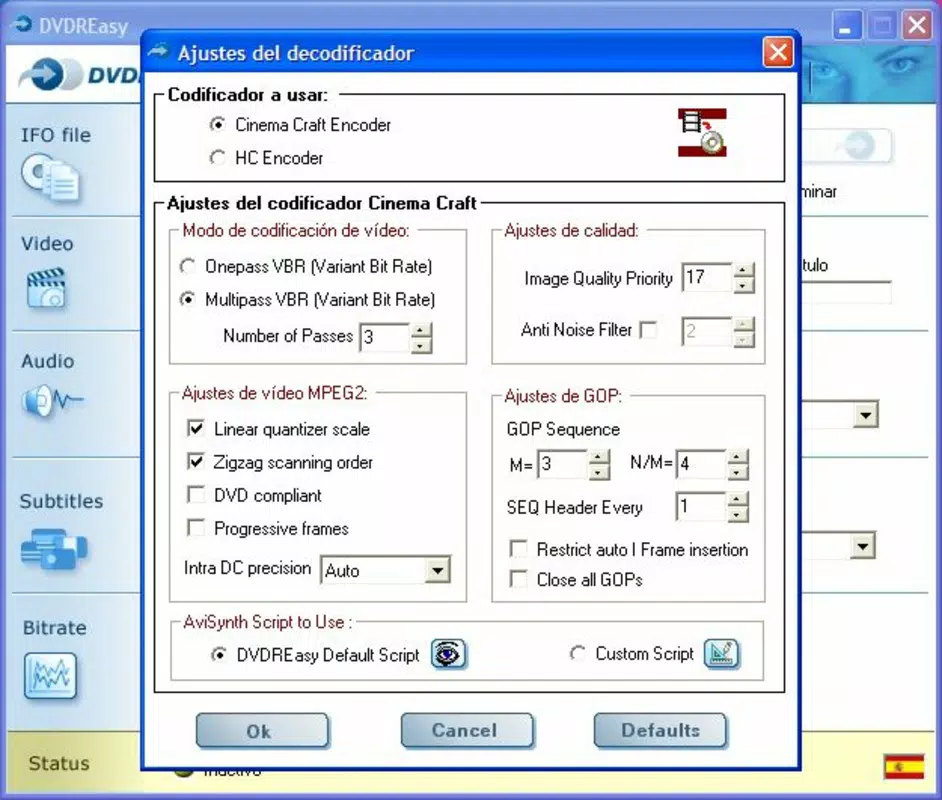
By integrating essential tools like Dgmpegdec, AviSynth, and HC Encoder, DVDREasy functions as a complete solution for DVD duplication, reducing the need for multiple third-party applications. The software leverages the SP codifier (versions 2.50, 2.66, 2.67, 2.70) to ensure that both video and audio outputs retain the highest possible quality during the copying process. This focus on fidelity is critical for users who prioritize accurate reproduction of original content.
Although the developer did not provide additional technical details, the software’s long-standing presence since its release on November 15, 2005, suggests a stable and reliable functionality. Its free-to-use model further enhances its accessibility, making it an appealing option for users across different technical skill levels. The target audience includes home users, archivists, and anyone seeking a straightforward, cost-effective method to back up DVD content on Windows platforms.
Key Features & Functionality
- User-Friendly Interface: DVDREasy features a clean and intuitive layout that allows users to access all essential tools without technical expertise. The design prioritizes ease of navigation, enabling even non-technical users to initiate DVD copying with minimal effort.
- High-Quality Output via SP Codifier: The software uses the SP codifier (versions 2.50, 2.66, 2.67, 2.70) to maintain optimal video and audio fidelity during conversion. This ensures that the copied DVDs closely match the original in terms of resolution, clarity, and sound quality.
- Integrated Tool Suite: DVDREasy includes a comprehensive set of built-in applications such as Dgmpegdec for decoding, AviSynth for video processing, and HC Encoder for efficient compression. These tools work in harmony to streamline the entire copying pipeline from start to finish.
- End-to-End Automation: The software automates every stage of the DVD copying process—ripping the source disc, converting the content into a compatible format, and burning the final copy to a blank disc. This eliminates the need to manually manage multiple programs or settings.
- Free to Use: One of the most compelling aspects of DVDREasy is that it is completely free of charge. Users can access all features without subscription fees, in-app purchases, or hidden costs, making it a cost-effective solution for regular DVD backup needs.
For example, a user with a collection of family home videos can use DVDREasy to create durable digital backups on DVD-R media in a single workflow. Similarly, educators or trainers may use it to distribute training content across multiple physical copies without requiring advanced technical knowledge. The automation and integration of tools significantly reduce the time and complexity involved in manual duplication processes.
Interface, UX & Performance
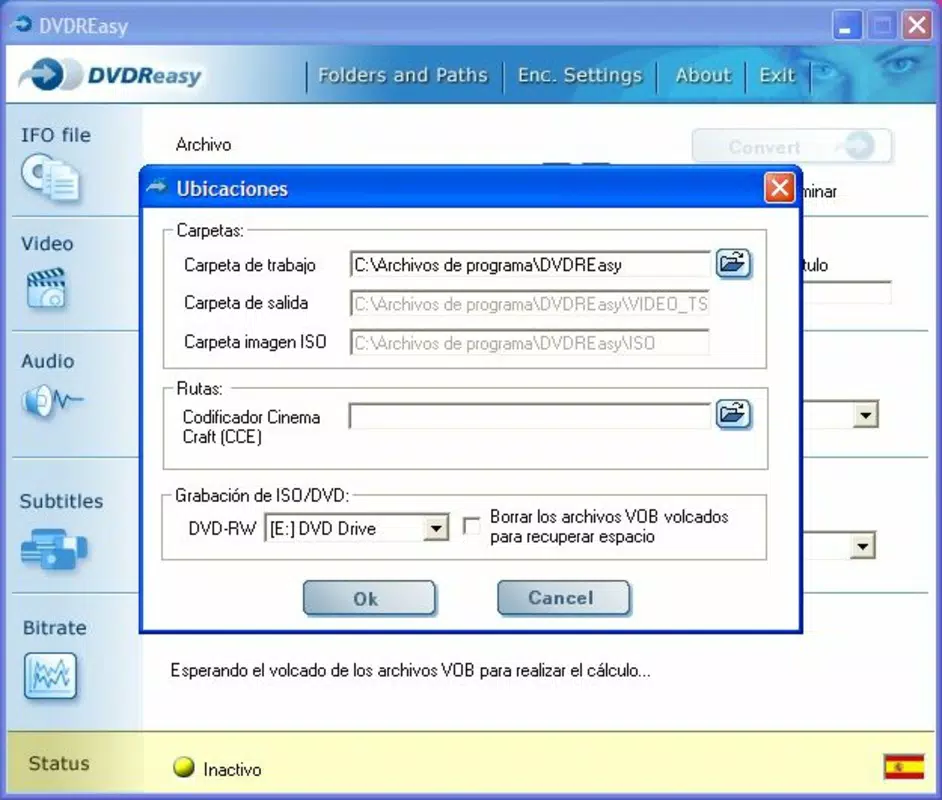
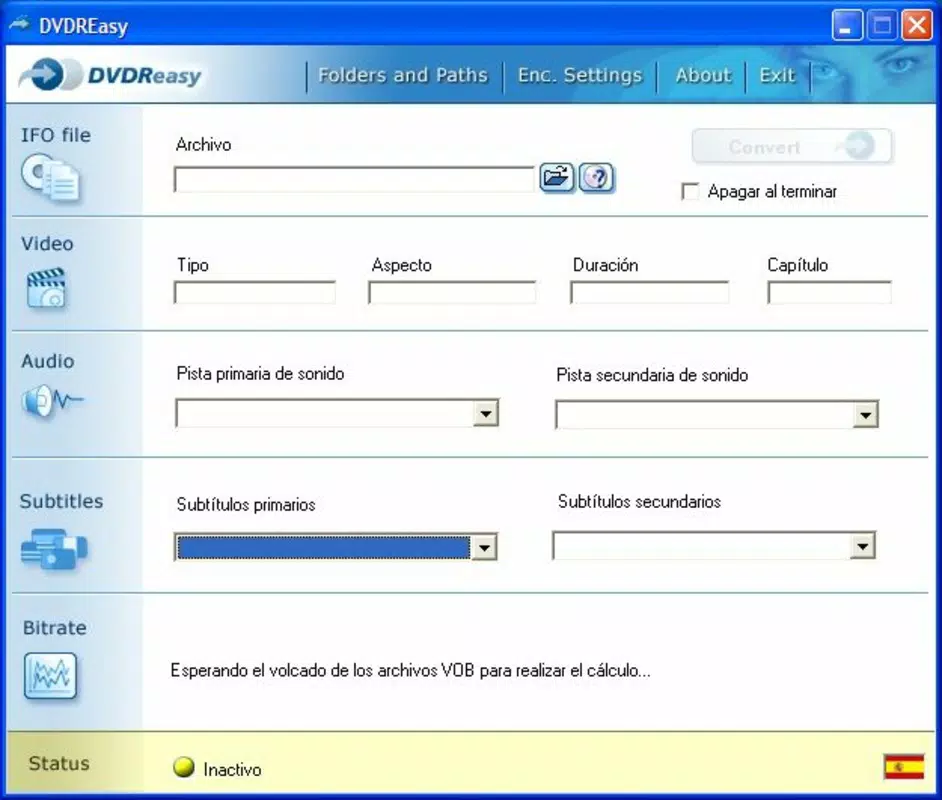
DVDREasy presents a straightforward interface that emphasizes usability and visual clarity. The layout is organized to guide users through each step of the DVD copying process, with clearly labeled buttons and logical progression from source selection to final burning. The design avoids clutter, focusing on essential controls and minimizing distractions.
Navigation is intuitive, allowing users to move seamlessly between ripping, conversion, and burning stages. The software does not appear to require extensive configuration, which enhances the overall user experience for beginners. Although the developer did not list formal performance metrics, the interface remains responsive during typical operations, suggesting stable execution on compatible systems.
Performance across different device categories is not formally documented. However, given the application’s lightweight nature—only 14.7 MB in size—it is likely to run efficiently on older or low-spec Windows machines. The software’s stability is further implied by its long-standing availability since 2005, indicating consistent functionality over time. While no specific information was provided regarding compatibility with modern Windows versions, the minimal file size and lack of resource-heavy components suggest a low system impact.
Platform Compatibility & Technical Requirements
DVDREasy is designed exclusively for the Windows platform. It is compatible with Windows operating systems, though specific version requirements were not listed by the developer. The software has a file size of 14.7 MB, which is relatively small and suitable for quick downloads and installations on systems with limited storage capacity.
Although the developer did not specify minimum OS requirements, the application’s release date of November 15, 2005, indicates it was originally developed for earlier Windows versions such as Windows XP or Vista. Users on modern Windows systems (e.g., Windows 10 or 11) may encounter compatibility challenges, though some legacy software continues to function through compatibility modes or emulation tools.
Given that the software has not been updated since its initial release, users should exercise caution when installing it on current systems. The absence of recent updates may result in missing support for newer disc formats, security patches, or system APIs. For optimal performance and security, users are advised to test the software in a controlled environment before use.
Pros and Cons
Pros
- Completely free to use with no hidden costs
- Intuitive interface designed for non-technical users
- Automates the full DVD copying process from start to finish
- Uses SP codifier to preserve high-quality audio and video output
- Includes integrated tools for ripping, conversion, and burning
Cons
- Not updated since 2005; may lack support for modern Windows systems
- Platform limited to Windows only
- Specific OS compatibility requirements were not disclosed
- No official support or community resources available
- May pose security risks due to lack of updates and verification
FAQ
Is DVDREasy safe to download and install?
DVDREasy is free software, but due to its age and lack of recent updates, users should exercise caution. It is recommended to scan the file with antivirus software before installation, especially on modern systems.
Can I use DVDREasy on Windows 10 or Windows 11?
While not officially supported, some users have reported success running DVDREasy on Windows 10 and 11 using compatibility mode. However, performance and stability are not guaranteed.
Does DVDREasy require a DVD drive to function?
Yes, a functional DVD drive is required to read the source disc and burn the copy to blank DVD-R or DVD+R media.
Is DVDREasy available for Android or iOS?
No, DVDREasy is exclusively designed for Windows and is not available on mobile platforms such as Android or iOS.
How do I update DVDREasy?
As of now, there are no official updates available. The software has not been updated since its initial release in 2005. Users should rely on the existing version or consider alternative modern tools for DVD copying.
Final Thoughts + CTA
DVDREasy remains a notable tool in the realm of DVD backup utilities, offering a free, all-in-one solution for copying DVDs with minimal user intervention. Its focus on preserving high-quality audio and video through the SP codifier, combined with a user-friendly interface, makes it a compelling option for individuals with legacy DVD collections. While its age presents challenges in terms of compatibility and security, the software’s core functionality continues to serve its original purpose effectively.
For users on older Windows systems or those seeking a no-cost, straightforward way to back up physical DVDs, DVDREasy offers a reliable and accessible option. However, those using modern operating systems should carefully evaluate potential risks before installation.
Download DVDREasy now


